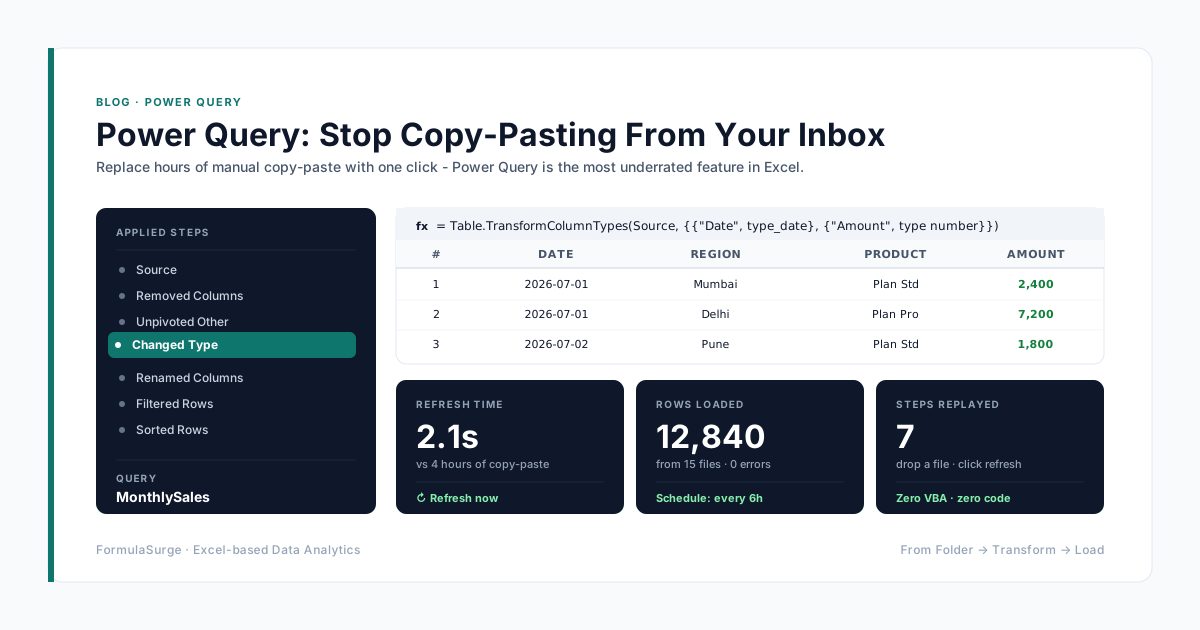
If your morning starts with "open the latest CSV, copy columns A through F, paste into the master file, fix the dates, save as today", Power Query replaces all of it with a single click. It is the most underrated feature in Excel and the one our client teams adopt fastest.
What Power Query actually is
Power Query is a built-in data pipeline inside Excel - an ETL tool (Extract, Transform, Load) that lives under the Data tab. You point it at a source, describe the cleaning you want in a visual editor, and it outputs a clean Table. There is no VBA, no formulas, and no copy-paste. The next time the source file changes, you click Refresh and the same cleaning runs in two seconds.
The three-step pattern we use on every project
- 1
Get Data - point at the source
Pick From File, From Folder, From Database or From Web. Power Query remembers the location and opens a preview window - your data is never pasted into a sheet.
- 2
Transform - every click is a recorded step
Remove columns, change data types, unpivot, split, merge. The Applied Steps pane on the right records everything. Delete a step, edit a step, the whole pipeline re-runs.
- 3
Load To - output to a table or a connection
Close & Load puts the cleaned data in a Table. Close & Load To… can target the data model, a pivot table, or another sheet. Next time the source changes, one click refreshes everything.
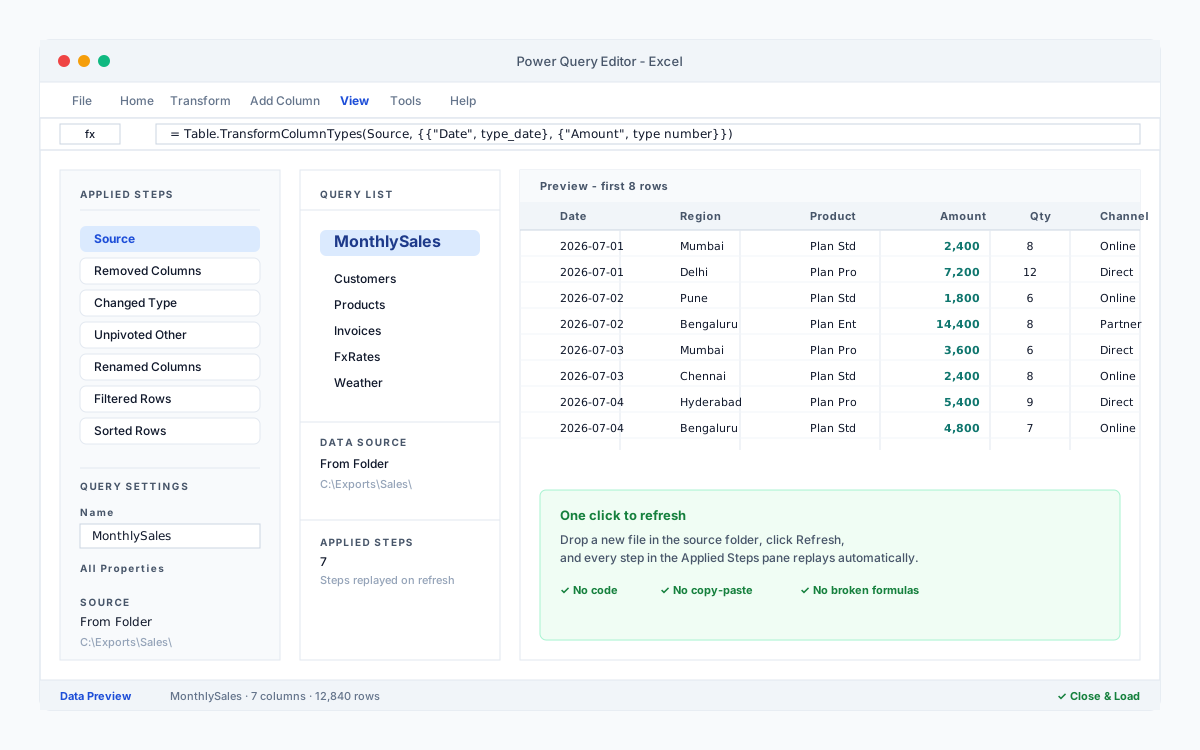
Real things it replaces
- Combine every CSV in a folder into one table - drop a new file in and refresh.
- Unpivot a wide monthly report into a tidy fact table ready for pivot charts.
- Pull live exchange rates or weather data with From Web, no API code required.
- Append this week's export to last week's, with column types enforced automatically.
Why we prefer it over macros for data work
Macros move pixels and run imperative steps. Power Query describes a data transformation and replays it. That distinction matters: the Applied Steps pane is a readable audit trail of exactly what happened to your data, and changing a step does not break the rest. For anything that touches incoming files, Power Query is the right tool.
Start here
Pick one report that still uses copy-paste. Put the source file in a known folder. Use Data > From Folder, point at it, and watch the preview appear. Most analysts have their first pipeline running before lunch.