FormulaSurge
All articles

Article

Excel Keyboard Shortcuts

Excel keyboard shortcuts the senior uses every day - navigation selection formula entry formatting and the hidden shortcuts that save minutes per hour.

  • excel shortcuts
  • ctrl shift excel
  • excel hotkeys
  • excel productivity
3 min readBy
Excel Keyboard Shortcuts

Keyboard shortcuts are the single most under-trained skill in Excel. The senior who knows 50 shortcuts builds a dashboard in two days; the junior who knows 5 builds the same dashboard in two weeks. The 40 shortcuts below are the ones we teach on every engagement. The list is sorted by the four most common use cases: navigation, formula entry, formatting, and data manipulation.

Navigation (10 shortcuts)

  • Ctrl + ArrowJump to the edge of the data in any direction
  • Ctrl + Shift + ArrowSelect to the edge of the data
  • Ctrl + HomeJump to A1
  • Ctrl + EndJump to the last used cell
  • Ctrl + G or F5Open Go To dialog (named ranges, cells, special)
  • Ctrl + Page Up/DownSwitch between worksheets
  • Alt + Page Up/DownScroll left/right by one screen
  • Ctrl + FFind
  • Ctrl + HFind and Replace
  • Ctrl + TabSwitch between open workbooks
The ten navigation shortcuts that move you through a workbook in seconds.

Formulas (10 shortcuts)

  • F2Edit the active cell
  • F4Cycle reference types (A1 → $A$1 → A$1 → $A1)
  • Ctrl + `Toggle formula display across the workbook
  • Alt + =AutoSum the selected range
  • Ctrl + ;Insert today's date
  • Ctrl + Shift + :Insert the current time
  • Ctrl + Shift + EnterEnter as array formula (legacy Excel)
  • Ctrl + EnterEnter the same formula in all selected cells
  • =Start a formula in the active cell
  • Ctrl + Shift + UExpand/collapse the formula bar
The ten formula shortcuts that speed up every calculation.

Formatting (10 shortcuts)

  • Ctrl + 1Open Format Cells dialog
  • Ctrl + BBold
  • Ctrl + IItalic
  • Ctrl + UUnderline
  • Ctrl + Shift + $Currency format
  • Ctrl + Shift + %Percentage format
  • Ctrl + Shift + #Date format
  • Ctrl + Shift + @Time format
  • Ctrl + Shift + ~General format
  • Alt + H + O + IAuto-fit column width
The ten formatting shortcuts that replace the Format Cells dialog.

Data manipulation (10 shortcuts)

  • Ctrl + TConvert range to Table
  • Ctrl + Shift + LToggle AutoFilter on/off
  • Alt + A + S + SSort dialog
  • Alt + A + S + VSort left to right (by column)
  • Ctrl + Shift + +Insert cells/rows/columns
  • Ctrl + -Delete cells/rows/columns
  • Ctrl + DFill down (copy from cell above)
  • Ctrl + RFill right (copy from cell to the left)
  • Ctrl + Shift + LToggle AutoFilter
  • Alt + N + VInsert Pivot Table
The ten data manipulation shortcuts that replace the menu clicks.

How to learn them

Pick three shortcuts a week. Practice them on a real workbook for the week. Add three more the following week. The senior who knows 50 shortcuts built the muscle memory over six months, not six days. The shortcuts that pay back the fastest in the first week: Ctrl+1 (Format Cells), F4 (Reference cycle), Ctrl+T (Table), Ctrl+` (Show formulas), Ctrl+Arrow (Jump to edge). These five alone will save 30 minutes a day for any Excel user.
Free · 10 minutes · No obligation

Send us the workbook your CFO reads. We will tell you which checks fail.

We run the same seven mechanical checks on every workbook we audit. No judgement calls, no scope creep - just a written list of which numbers you should stop trusting and why. Free, in a written reply within a working day.

  • Hard-coded totals
  • Hidden rows in SUM ranges
  • Headline trace to source
  • Hard-coded assumptions
  • Correct data types
  • Reconciliation to source
  • Fresh refresh timestamp

Want an answer right now? Run the free Workbook X-ray on your file. It checks it in your browser in seconds.

checks.xlsx
Auto-runs on refresh
  1. 01No hard-coded totalsPass
  2. 02Hidden rows in SUM rangesFail
  3. 03Headline traces to sourcePass
  4. 04No hard-coded assumptionsFail
  5. 05Correct data typesPass
  6. 06Reconciled to sourcePass
  7. 07Fresh refresh timestampPass
Checks tab · 7/7Runs on every refresh
JS

Written by

Founder & Principal Consultant · FormulaSurge · 10+ years of hands-on Excel work

Senior Excel practitioner with 10+ years across Power Query, Power Pivot, VBA and financial modeling. The patterns on this page are the same ones I build into client workbooks - fixed scope, fixed price, named owner. Read the full author bio. Stuck on a formula? Get a free fix.

Free tool · 10 sec · runs in your browser

Formula Explainer

Paste any formula and read it in plain English, step by step in the order Excel calculates it.

Open the tool

Related service

Need this built for your team?

See Spreadsheet Audit & Repair - fixed price in writing, built end-to-end. Not sure of the scope? A Scoping Sprint ($99 / ₹4,999) gives you an exact quote first.

Read more

10+ years in ExcelNamed senior ownerNDA signedFixed price, in writing30-day support

Frequently asked

Questions readers ask most.

What are the most useful Excel keyboard shortcuts?

Fifty shortcuts. The top 10: Ctrl+1 (Format Cells), Ctrl+T (Table), Ctrl+Shift+L (Toggle Filters), Ctrl+` (Show Formulas), F2 (Edit Cell), F4 (Cycle Reference), Ctrl+Arrow (Jump to Edge), Ctrl+Shift+Arrow (Select to Edge), Alt+= (AutoSum), Ctrl+; (Today). The senior uses 30-50 of these in a normal day.

How do I navigate large spreadsheets quickly?

Ctrl+Arrow jumps to the edge of the data in any direction. Ctrl+Shift+Arrow selects to the edge. Ctrl+Home goes to A1. Ctrl+End goes to the last used cell. Ctrl+G or F5 opens Go To. The senior uses these to navigate a 100K-row dataset in seconds.

What is the shortcut to enter a formula in all selected cells?

Select the range, type the formula, press Ctrl+Enter. The formula is entered in every selected cell with relative references adjusted. The senior uses this pattern for filling a formula down a column or across a row without dragging the fill handle.

How do I quickly format a number as currency, percentage, or date?

Ctrl+Shift+$ (Currency), Ctrl+Shift+% (Percentage), Ctrl+Shift+# (Date). The senior uses these instead of right-click → Format Cells. The shortcuts are muscle memory after a week of use.

What is the shortcut to toggle formula display?

Ctrl+` (the backtick key, top-left of the keyboard, below Escape). The shortcut shows every formula in the workbook. Press again to toggle back. The senior uses this to audit a workbook for hard-coded numbers and buried assumptions.

How do I copy a formula with absolute references?

Type the formula, press F4 to cycle the reference types (A1 → $A$1 → A$1 → $A1 → A1). The senior locks the rows and columns that should not move when the formula is copied. The most common pattern is $A$1 (lock both) for the assumption cell and A1 (lock neither) for the row reference.

Get a Free Quote

Want this built for your team?

We deliver this kind of work for clients every week. Send your requirements, sample workbook or screenshot - we'll respond with a written scope and fixed price within one working day.

  • Written scope and fixed price before any build work starts
  • Live workbook reviews - you see progress from week one
  • Documented walkthrough and 30-day support at handover
  • Mutual NDA available
Replies within one working day, usually the same day

Calls scheduled in your timezone (UK, EU, US, UAE, APAC) · How a project works

Built for teams in

Industries and cities this work is set up for

Related

Keep reading

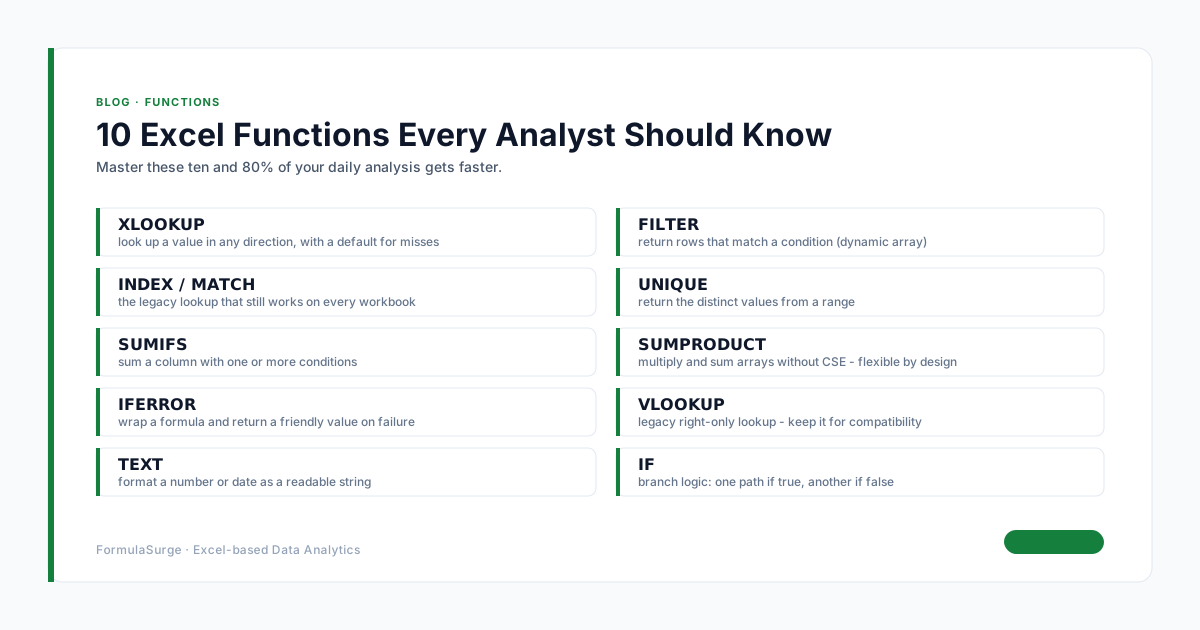
10 Excel Functions Every Analyst Should Know

Article

10 Excel Functions Every Analyst Should Know

Master these ten functions and 80% of your daily analysis gets faster

Read
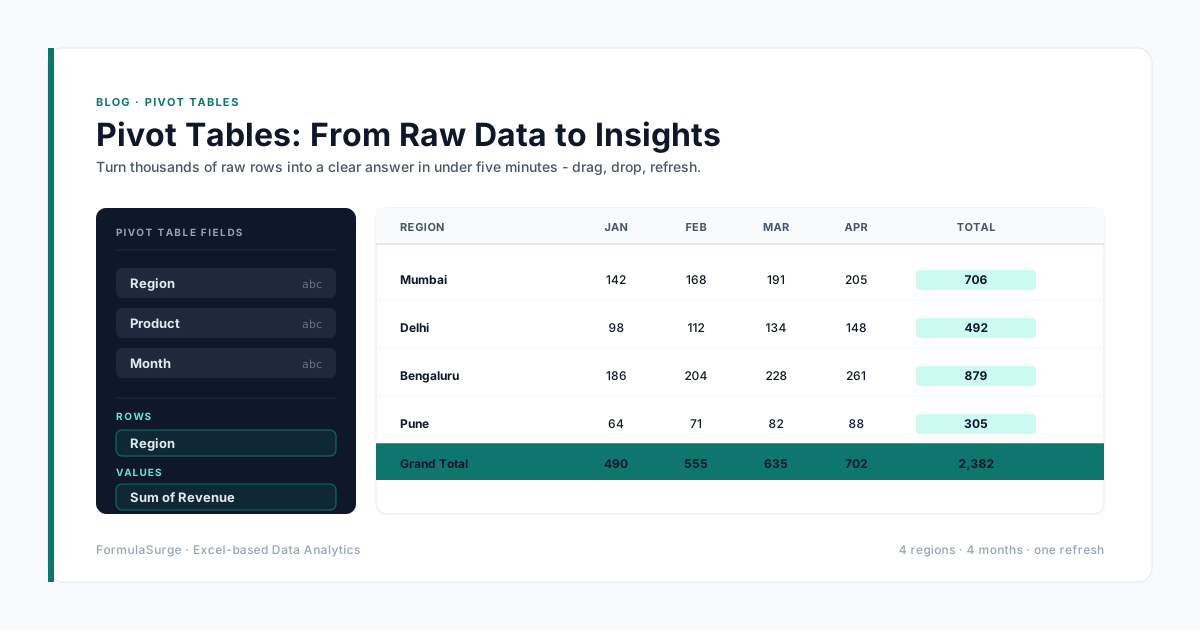
Pivot Tables: From Raw Data to Insights

Article

Pivot Tables: From Raw Data to Insights

Turn thousands of raw Excel rows into a clear answer in under five minutes

Read
Automate Monthly Reports with Excel Macros

Article

Automate Monthly Reports with Excel Macros

Automate monthly Excel reports with Power Query and VBA - from recurring exports and refreshes to PDF delivery. See how to make the workflow reliable, then explore our fixed-scope automation service.

Read
Excel Charts That Tell a Story

Article

Excel Charts That Tell a Story

Choose the right chart and your data explains itself

Read
Power Query: Stop Copy-Pasting From Your Inbox

Article

Power Query: Stop Copy-Pasting From Your Inbox

Replace hours of manual copy-paste with one click - Power Query is the most underrated feature in Excel

Read
VLOOKUP vs XLOOKUP: 7 Differences + 4 Migration Steps (2026)

Article

VLOOKUP vs XLOOKUP: 7 Differences + 4 Migration Steps (2026)

What is the difference between VLOOKUP and XLOOKUP? Side-by-side comparison with 7 concrete differences 4 migration steps 5 real examples and the one reason VLOOKUP is still useful. Updated 2026.

Read
Conditional Formatting That Actually Highlights What Matters

Article

Conditional Formatting That Actually Highlights What Matters

Color scales and data bars are decorative. Use these rules to surface the rows that need action today.

Read
Data Validation: Save Rules and Stop Bad Data at the Door

Article

Data Validation: Save Rules and Stop Bad Data at the Door

How to save data validation rules in Excel, copy them across sheets, and set up drop-downs with dependent lists and custom error messages.

Read
Dynamic Arrays: The Excel Feature You Didn't Know You Had

Article

Dynamic Arrays: The Excel Feature You Didn't Know You Had

FILTER SORT UNIQUE SEQUENCE and the spill range - the modern way to build reports that update themselves.

Read
Designing a KPI Dashboard That People Actually Open

Article

Designing a KPI Dashboard That People Actually Open

Most Excel dashboards die in the 'final' folder. Here is the design checklist we use so yours get opened every Monday.

Read
Excel for CFOs: 7 Reports Every Finance Team Actually Uses

Article

Excel for CFOs: 7 Reports Every Finance Team Actually Uses

A working finance team needs seven reports - not sixty. Here are the seven every controller opens every Monday morning and the Excel pattern behind each one

Read
SUMPRODUCT: 5 Jobs It Does Better Than SUMIFS (2026)

Article

SUMPRODUCT: 5 Jobs It Does Better Than SUMIFS (2026)

The mental model that makes Excel SUMPRODUCT click - 5 jobs it does better than SUMIFS COUNTIFS AVERAGEIF MAXIFS with worked examples and the 4 mistakes to avoid. Updated 2026.

Read
How to Audit a Spreadsheet in 10 Minutes (2026)

Article

How to Audit a Spreadsheet in 10 Minutes (2026)

How to audit a spreadsheet in 10 minutes - the 7-step Excel checklist that catches the common errors before the CFO signs. Updated 2026.

Read
What-If Analysis in Excel: 3 Tools + 5 Examples (2026)

Article

What-If Analysis in Excel: 3 Tools + 5 Examples (2026)

What is What-If Analysis in Excel? Goal Seek Data Tables and Scenario Manager - three built-in tools explained with 5 worked examples for sensitivity break-even and forecasting. Updated 2026.

Read
Excel File Too Slow? 7 Fixes Before You Buy a New Tool

Article

Excel File Too Slow? 7 Fixes Before You Buy a New Tool

Seven fixes in order - turn nine out of ten slow files around before you migrate to Power BI or Tableau

Read
Power Pivot for People Who Hate Power Pivot

Article

Power Pivot for People Who Hate Power Pivot

The most powerful feature in Excel. The one nobody uses. Three concepts and five DAX functions - and the architecture that turns Excel into a real data tool

Read
Excel for CA Firms: 5 Automation Wins

Article

Excel for CA Firms: 5 Automation Wins

Five high-ROI Excel automations Indian CA firms use to eliminate manual GST TDS and ledger reconciliation.

Read
Excel Dashboard for Manufacturing Plant India

Article

Excel Dashboard for Manufacturing Plant India

How to build an executive Excel manufacturing dashboard that tracks daily production yield scrap % and machine downtime.

Read
Power Query Tutorial for Indian Finance Teams

Article

Power Query Tutorial for Indian Finance Teams

Step-by-step Power Query tutorial for Indian finance teams - automate data cleaning and ledger consolidation.

Read
Excel Month-End Close: How Indian SMEs Do It Faster

Article

Excel Month-End Close: How Indian SMEs Do It Faster

How Indian SMEs reduce month-end close from 5 days to under 4 hours using structured Excel pipelines.

Read
Hire a Remote Excel Consultant from India

Article

Hire a Remote Excel Consultant from India

Why US UK EU and APAC businesses hire remote Excel consultants from India - fixed price and overlapping hours.

Read

Article

Offshore Excel Freelancer: Fixed Price vs Hourly

Why fixed-price offshore Excel projects deliver higher ROI than open-ended hourly freelance contracts.

Read
How to Work with a Remote Excel Expert

Article

How to Work with a Remote Excel Expert

A 4-step framework for working seamlessly with a remote Excel specialist on remote engagements.

Read
Excel Consultant for Small Business (US UK AU)

Article

Excel Consultant for Small Business (US UK AU)

Four ways small businesses in the US UK and Australia use custom Excel automation to save thousands.

Read
Excel Financial Model Freelancer Remote

Article

Excel Financial Model Freelancer Remote

What to demand when hiring a remote financial modeling freelancer - FAST standards 3-statement integration and audit checks.

Read
Excel SUMIFS: The Formula That Runs Finance

Article

Excel SUMIFS: The Formula That Runs Finance

Excel SUMIFS formula explained - the workhorse of any finance dashboard. Sum by date range by category by multiple criteria with AND/OR logic. Examples and pitfalls.

Read
INDEX MATCH vs VLOOKUP

Article

INDEX MATCH vs VLOOKUP

INDEX MATCH vs VLOOKUP - structural differences why INDEX MATCH is more flexible and when XLOOKUP replaces both. Examples and migration tips.

Read
Excel LET and LAMBDA Functions

Article

Excel LET and LAMBDA Functions

Excel LET and LAMBDA functions explained - named sub-expressions custom reusable functions and the modern Excel patterns that replace messy nested formulas.

Read
Excel Named Ranges Best Practices

Article

Excel Named Ranges Best Practices

Excel named ranges - best practices for naming scope and structure. The patterns that keep workbooks auditable fast and easy to hand over.

Read
Excel Tables Deep Dive

Article

Excel Tables Deep Dive

Excel Tables deep dive - structured references automatic growth total rows slicers and the patterns that turn plain ranges into auditable data blocks.

Read
Excel IFS and SWITCH

Article

Excel IFS and SWITCH

Excel IFS and SWITCH functions explained - the modern replacements for nested IF formulas. Cleaner syntax easier to read and easier to debug.

Read
Excel TEXTJOIN and CONCAT

Article

Excel TEXTJOIN and CONCAT

Excel TEXTJOIN CONCAT and the rest of the text functions - modern patterns for joining splitting formatting and cleaning text in Excel.

Read
Excel ABC Inventory Analysis

Article

Excel ABC Inventory Analysis

Excel ABC analysis for inventory - classify SKUs by revenue contribution prioritise reorder reviews and cut working capital. Excel pattern with formulas.

Read
Excel RFM Customer Analysis

Article

Excel RFM Customer Analysis

Excel RFM analysis for customer segmentation - Recency Frequency Monetary value and the patterns that drive email and sales targeting. Excel formulas and example.

Read
Excel Cohort Analysis for SaaS

Article

Excel Cohort Analysis for SaaS

Excel cohort analysis for SaaS - retention curves expansion revenue net revenue retention. The pattern that every SaaS founder needs.

Read
Excel Sensitivity Analysis

Article

Excel Sensitivity Analysis

Excel sensitivity analysis with one-input and two-input Data Tables. The pattern that every financial model needs for break-even scenario and what-if analysis.

Read
Excel for Accountants

Article

Excel for Accountants

Excel for accountants and bookkeepers - the formulas patterns and workbooks that automate the monthly close the reconciliation and the client reporting.

Read
Excel for HR and Payroll

Article

Excel for HR and Payroll

Excel for HR and payroll - the templates and patterns for attendance leave payroll and headcount reporting. India-specific examples with PF ESI and TDS.

Read
Excel for Sales Pipeline

Article

Excel for Sales Pipeline

Excel for sales pipeline and forecasting - deal stages weighted pipeline quota tracking and forecast accuracy. Excel pattern for B2B sales teams.

Read
Excel vs Google Sheets

Article

Excel vs Google Sheets

Excel vs Google Sheets in 2026 - the honest comparison. When to use each the limits of Google Sheets and the patterns that work in both.

Read
Excel vs Power BI

Article

Excel vs Power BI

Excel vs Power BI in 2026 - the honest comparison. When to use each the limits of Power BI and the patterns that work in both.

Read
Excel IRR NPV PMT

Article

Excel IRR NPV PMT

Excel IRR NPV PMT and financial functions - the patterns for valuation loan amortisation and investment analysis.

Read
Excel Sparklines

Article

Excel Sparklines

Excel sparklines - tiny charts inside a single cell. The patterns for KPI tiles trend columns and dashboard compactness.

Read
Excel Combo Charts

Article

Excel Combo Charts

Excel combo charts - bar and line on the same axis with secondary axis for the second metric. The pattern for revenue and margin sales and forecast and any two-metric dashboard.

Read
Excel Waterfall Charts

Article

Excel Waterfall Charts

Excel waterfall charts - the bridge from one number to another. How to build one from scratch the P&L bridge use case and the data layout.

Read
Excel Pivot Charts

Article

Excel Pivot Charts

Excel pivot charts - the visual layer on top of a Pivot Table. The patterns that turn 100K-row tables into one-click dashboards with Slicers and Timelines.

Read
Excel Heatmap Conditional Formatting

Article

Excel Heatmap Conditional Formatting

Excel heatmap with conditional formatting - colour scales data bars and icon sets that turn tables into visual at-a-glance maps. The patterns for cohort schedule and variance analysis.

Read
Excel vs Python Pandas

Article

Excel vs Python Pandas

Excel vs Python Pandas in 2026 - the honest comparison. When to use each the limits of Pandas and the patterns that work in both.

Read
Excel vs Tableau

Article

Excel vs Tableau

Excel vs Tableau in 2026 - the honest comparison. When to use each the limits of Tableau and the patterns that work in both.

Read
Excel Solver for Operations Research

Article

Excel Solver for Operations Research

Excel Solver for operations research - linear programming integer programming transportation assignment and workforce scheduling. The patterns and limits.

Read
Excel Monte Carlo Simulation

Article

Excel Monte Carlo Simulation

Excel Monte Carlo simulation - NORM.INV RAND and the data table pattern that turns a deterministic model into a probabilistic one. Risk analysis in Excel.

Read
Excel FORECAST.ETS

Article

Excel FORECAST.ETS

Excel FORECAST.ETS for seasonal forecasting and FORECAST.LINEAR for trend forecasting. The patterns for sales demand and revenue forecasting.

Read
Excel Linear Regression

Article

Excel Linear Regression

Excel linear regression with SLOPE INTERCEPT TREND RSQ and LINEST. The patterns for trend analysis sensitivity and what-if.

Read
Excel for Project Management

Article

Excel for Project Management

Excel for project management - Gantt charts task trackers resource allocation and status reporting. The patterns for IT construction and consulting projects.

Read
Excel for Restaurant Operations

Article

Excel for Restaurant Operations

Excel for restaurant operations - food cost recipe costing inventory daily sales and the patterns for the modern restaurant chain.

Read
Excel for E-commerce Inventory

Article

Excel for E-commerce Inventory

Excel for e-commerce inventory - multi-channel stock sync SKU master reorder point dead stock and the patterns for the modern D2C brand.

Read
Excel Templates vs Workbooks

Article

Excel Templates vs Workbooks

Excel templates vs workbooks - when to use each the .xltx file format the .xlsx runtime and the patterns for shippable Excel deliverables.

Read
Excel VBA vs Power Query

Article

Excel VBA vs Power Query

Excel VBA vs Power Query - when to use each the limits of VBA and the modern pattern that combines both. The senior-built automation stack.

Read
Excel Protect Sheet

Article

Excel Protect Sheet

Excel Protect Sheet and Protect Workbook - the patterns for locking formulas allowing user input and securing the workbook structure.

Read
Excel Error Handling with IFERROR

Article

Excel Error Handling with IFERROR

Excel error handling with IFERROR and IFNA - the modern pattern that turns #N/A #VALUE! #REF! and #DIV/0! into clean messages.

Read
Excel COPILOT Function Removed: Fix the #NAME? Errors

Article

Excel COPILOT Function Removed: Fix the #NAME? Errors

Microsoft removed the COPILOT worksheet function on 14 September 2026. How to find affected cells, keep the cached results and move to the Copilot pane.

Read
Excel REGEX Functions: REGEXTEST, REGEXEXTRACT, REGEXREPLACE

Article

Excel REGEX Functions: REGEXTEST, REGEXEXTRACT, REGEXREPLACE

Excel's three regex functions with worked examples - validate a GSTIN, extract emails, strip phone numbers - and the compatibility check before sharing.

Read
Excel TRIMRANGE and Trim References (A:.A) Explained

Article

Excel TRIMRANGE and Trim References (A:.A) Explained

TRIMRANGE and the trim-reference operators cut blank rows off range edges - syntax, examples and the mismatched-size trap.

Read
Excel GROUPBY and PIVOTBY: Pivot Tables as Formulas

Article

Excel GROUPBY and PIVOTBY: Pivot Tables as Formulas

GROUPBY and PIVOTBY build a summary table with one formula that recalculates on its own - syntax, five finance examples and what to check before replacing a PivotTable.

Read
Excel IMPORTCSV and IMPORTTEXT: Load a File With One Formula

Article

Excel IMPORTCSV and IMPORTTEXT: Load a File With One Formula

IMPORTCSV and IMPORTTEXT load a CSV or text file into a dynamic array with one formula - syntax, examples and why they are not ready for shared reports yet.

Read

Reading norms

How every article on this blog is written.

Same six rules on every post - from the first 10-functions article to the latest CFO report pattern. The writing matches the work.