If you are still dragging formulas down 10,000 rows, you are working too hard. In 2020 Microsoft quietly rewrote Excel's formula engine: every formula can now return a range, and that range spills into the cells around it. The five functions that make this useful are FILTER, SORT, UNIQUE, SORTBY and SEQUENCE. Together they replace most of the helper columns and copy-paste that used to be unavoidable.
What changed in 2020
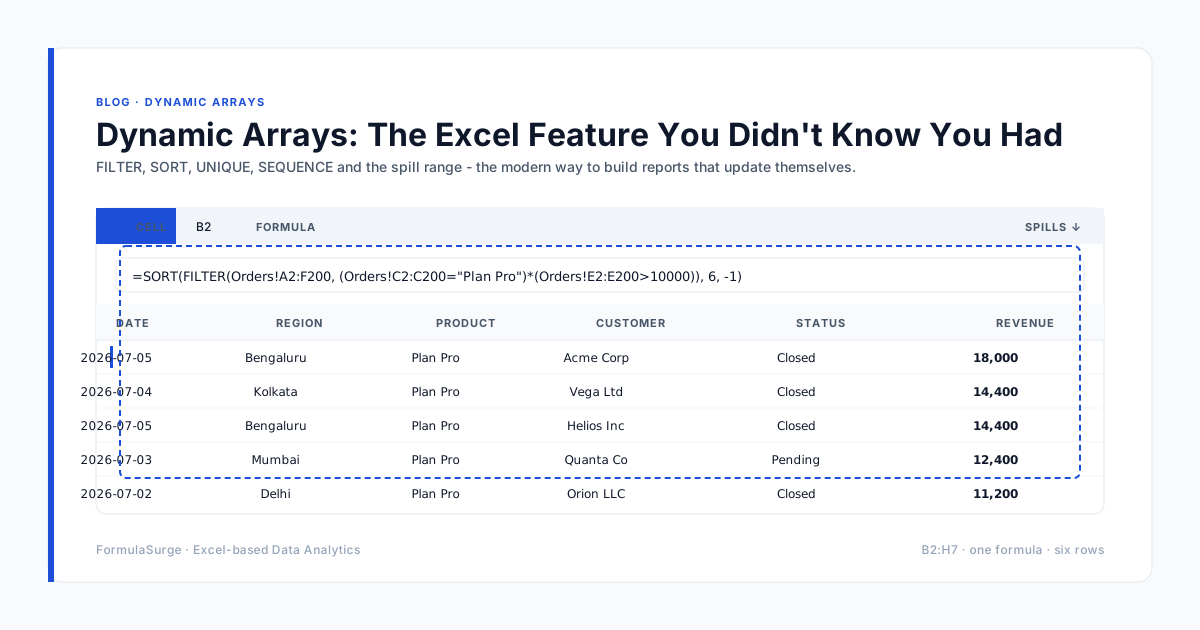
Before dynamic arrays, a formula returned a single value. If you wanted a list, you wrote the formula once, copied it down, and hoped your data did not grow. Now a single formula in a single cell can return a one-dimensional or two-dimensional result, and Excel paints the rest of the cells for you. The blue border around the result is the spill range - that is the new "drag this down" replaced with a single keystroke (Enter).
The five functions to learn first
FILTERReturns only the rows that match a condition. =FILTER(A2:D1000, C2:C1000="Mumbai") gives you a live, formula-driven slice - no helper column, no copy-paste.SORTOrders any range or FILTER result by one or more columns. =SORT(FILTER(...), 4, -1) gives top customers, descending, in one cell.UNIQUESpills a deduplicated list from a range - instant dimension table. Combine with SORT for a clean master list that updates as the source grows.SORTBYSort one column by the values in another. Useful when the result range and the sort key are different shapes.SEQUENCEGenerates a column of numbers - month numbers, week numbers, rank. Most uses are tiny but they replace a column of typed numbers that someone will forget to update.
One real-world pattern we use constantly
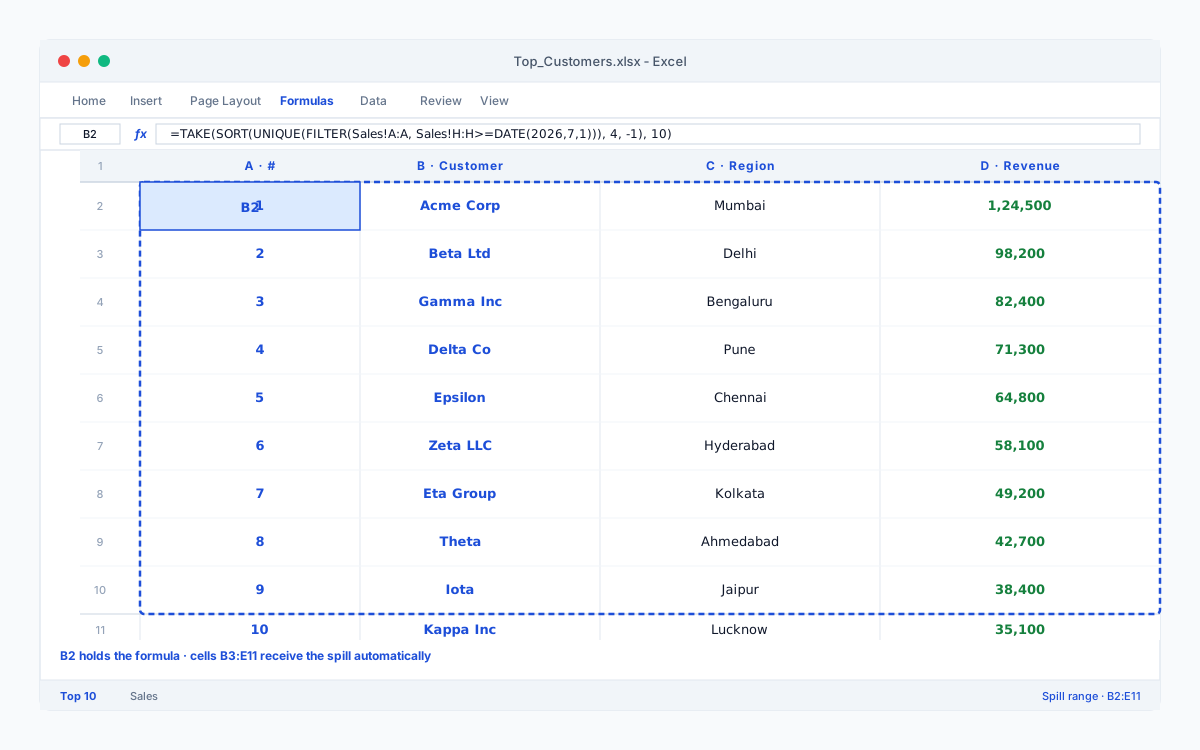
A single cell on a summary tab that lists the top 10 customers this month, sorted by revenue, with duplicates removed:
=TAKE(SORT(UNIQUE(FILTER(Sales!A:A, Sales!H:H>=DATE(2026,7,1))), 4, -1), 10)
One cell. No pivot table. Refreshes the moment a sale is added. That is what dynamic arrays feel like.
One gotcha: #SPILL!
If a cell in the spill range already has a value, the formula errors with #SPILL!. The fix is usually obvious - clear the obstructing cells, or move the formula. The error is a feature: it tells you the spill range is exactly what you expected, and something else got in the way.