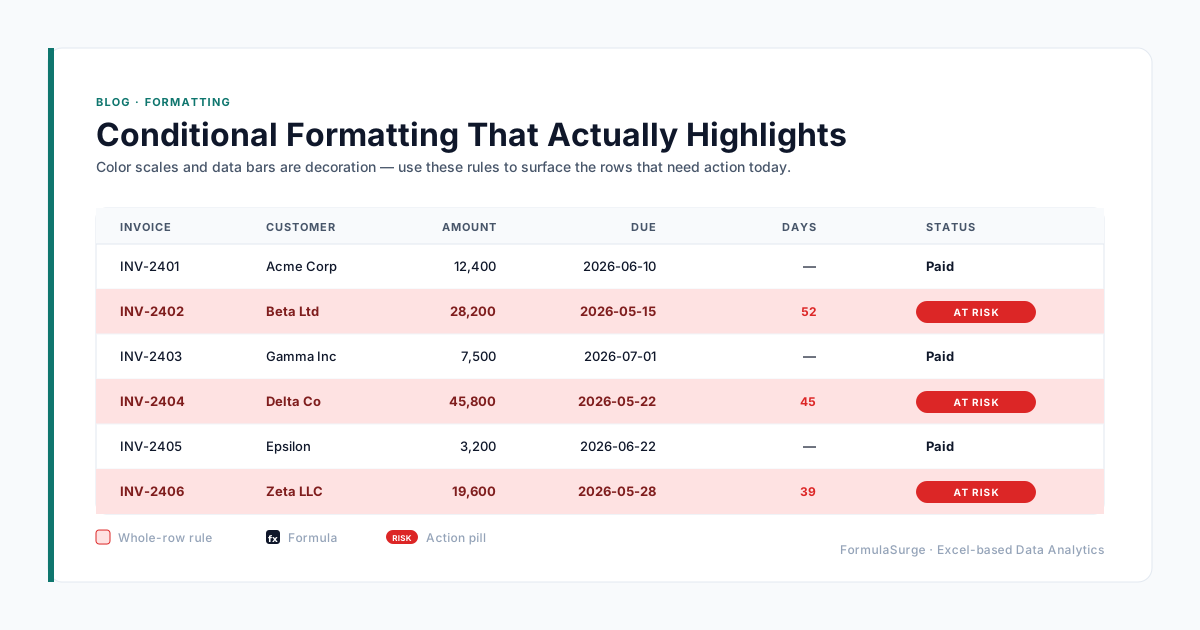
Most conditional formatting is decoration. Green-yellow-red color scales and data bars make a sheet look modern, but they do not tell the reader what to do. Here is the kind of conditional formatting we use in client dashboards - the kind that drives an action, not just a glance.
The job of conditional formatting is to point, not to please
Every rule should answer the same question: "what should I look at first?" If a rule cannot be phrased that way, it is decoration. The presets in Excel's Conditional Formatting menu lean heavily toward decoration. The rules that earn their keep are the ones you write yourself.
Five rules that actually do work
- 1
Highlight the whole row, not the cell
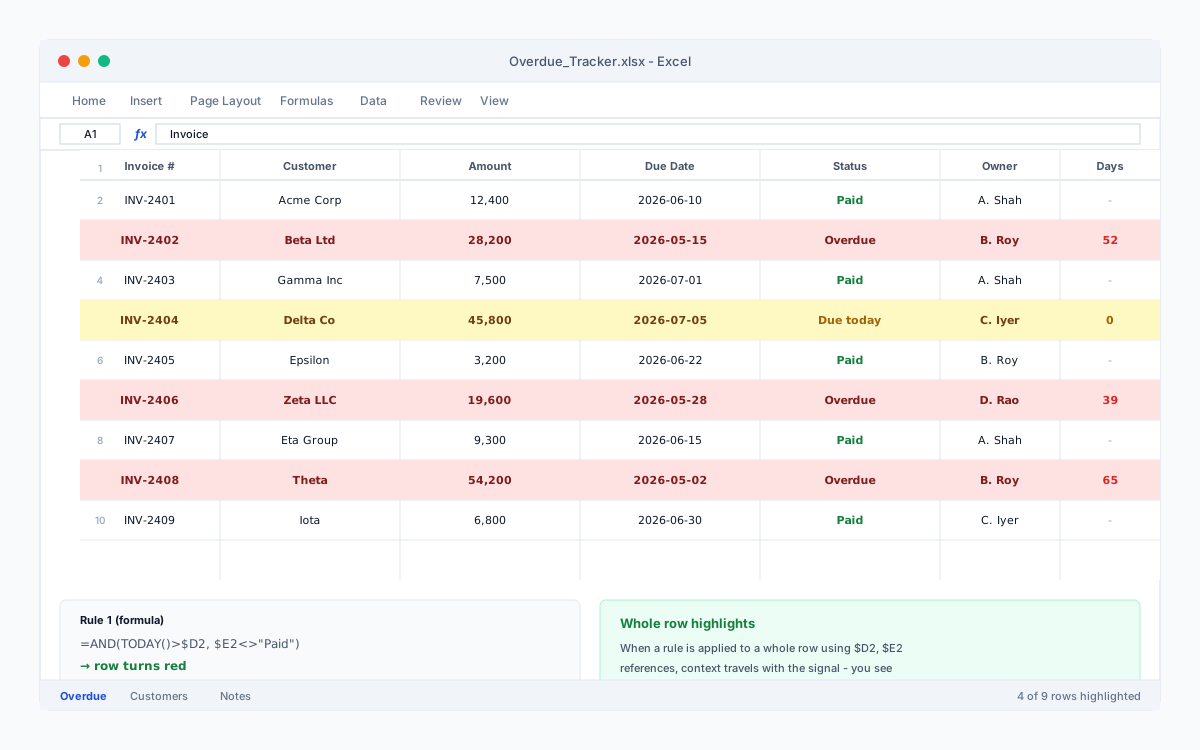
A red cell in column F means nothing without the customer name, the date, the order ID. Use a formula rule on a range like =$F2="Overdue" and the entire row lights up - the context travels with the signal.
- 2
Use formulas, not the built-in presets
Color scales and data bars look pretty but they encode magnitude, not action. A formula rule that highlights =AND(TODAY()>$D2, $E2<>"Done") tells the reader exactly what to do next.
- 3
Make "good" and "bad" visually obvious
Pick two colors you would not put in a chart together: a saturated red for the rows that need attention, a soft green for the rest. Skip yellow - it is the universal color for "unsure", which is not a message you want to send.
- 4
Add icons only when there is a clear meaning
A green tick, red cross, yellow exclamation - they work for status (paid / unpaid / pending) but become noise on a column of percentages. If the icon does not have an unambiguous answer key, leave it out.
- 5
Stop at three active rules per sheet
A sheet with seven competing conditional formats looks broken, not smart. Pick the three decisions a reader should be able to make at a glance - overdue, out of stock, over budget - and stop there.
The five-second test
Open any report you have built. Spend five seconds scanning it. If you cannot tell which row needs you to do something, the conditional formatting is not doing its job. Fix the rules, not the colors. A well-placed highlight is the difference between a report people scan and a report people act on.